
🚀 AI Viral Thread Marketing Agent
"The Content Distribution Engine for High-Growth Founders"
View Results • Setup Guide • Technical Specs
📖 Table of Contents
- 🛑 The Problem
- 💡 The Solution
- 📸 Live Results
- 🏗️ System Architecture
- 🛠️ Setup Guide
- ⚙️ Configuration Matrix
- 🤓 Technical Deep Dive
- 🚨 Troubleshooting & FAQ
- 💰 Cost & ROI
🛑 The Problem: "Distribution Hell"
Be honest: How many great ideas die in your notes app because you don't have the energy to format them for Twitter, Threads, and Bluesky?
You know consistency brings leads. You know you need to be "everywhere." But writing the same post 3 times is soul-crushing.
And when you stop posting, your meaningful growth stops.
💡 The Solution: Automated Viral Engineering
Day 21 of the 30 Days, 30 AI Agents Challenge.
This isn't just a scheduler. It's a ghostwriter in your pocket. This system monitors your email, picks up raw thoughts, converts them into high-performing viral threads, and broadcasts them key platforms instantly.
⚡ The "Growth Loop"
- 📥 Capture: Send a quick email to yourself with subject
thread. - 🧠 Expand: AI Agent #1 (The Strategist) outlines a 5-step argument.
- ✍️ Refine: AI Agent #2 (The Editor) applies "Spartan" brevity and viral hooks.
- 🚀 Deploy: The System posts natively to X (Twitter), Threads, and Bluesky.
No dashboards to check. No files to drag. Just email and forget.
📸 Live Results
See what the agent outputs from a single sentence idea:
| Platform Output Example 1 | Platform Output Example 2 |
|---|---|
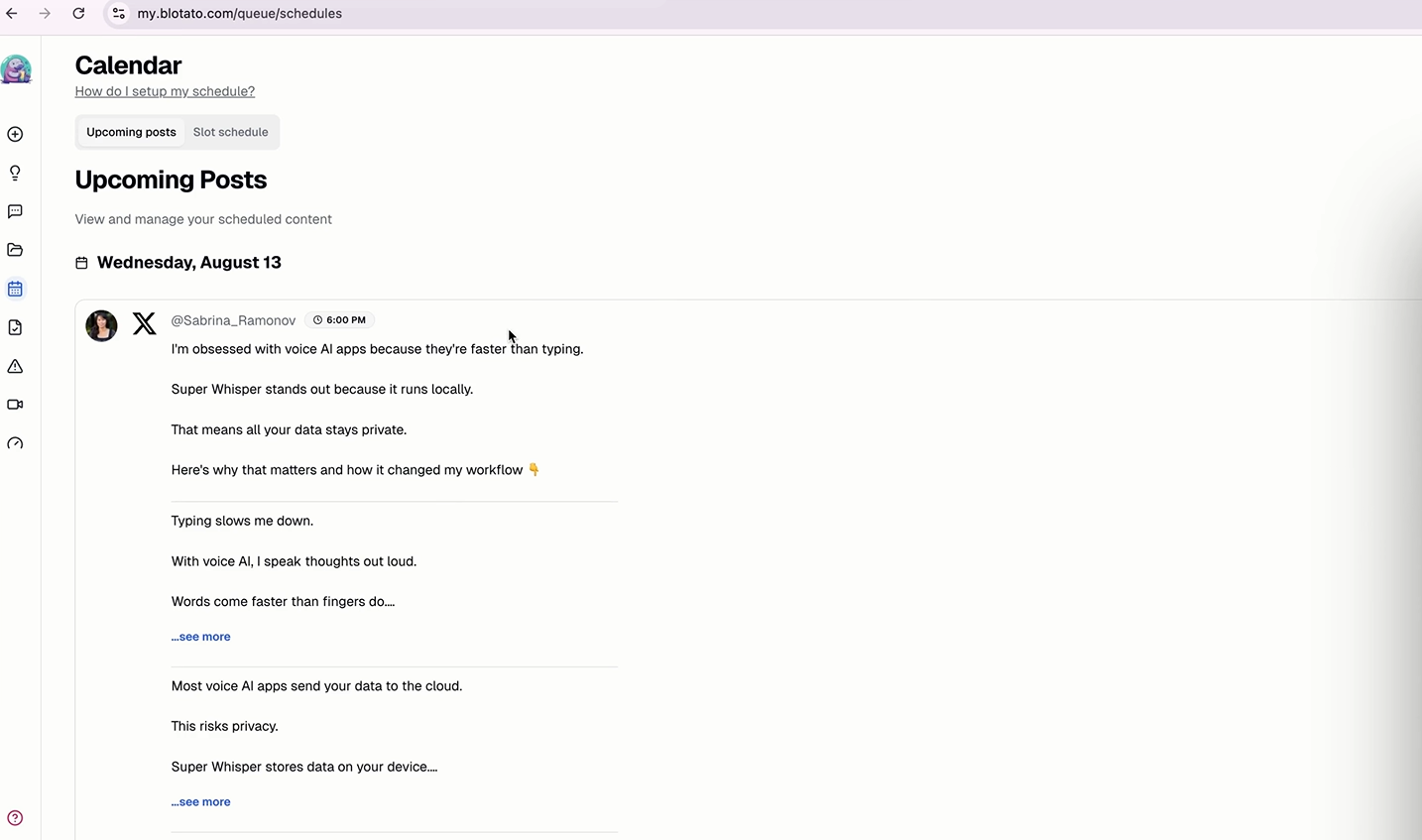 | 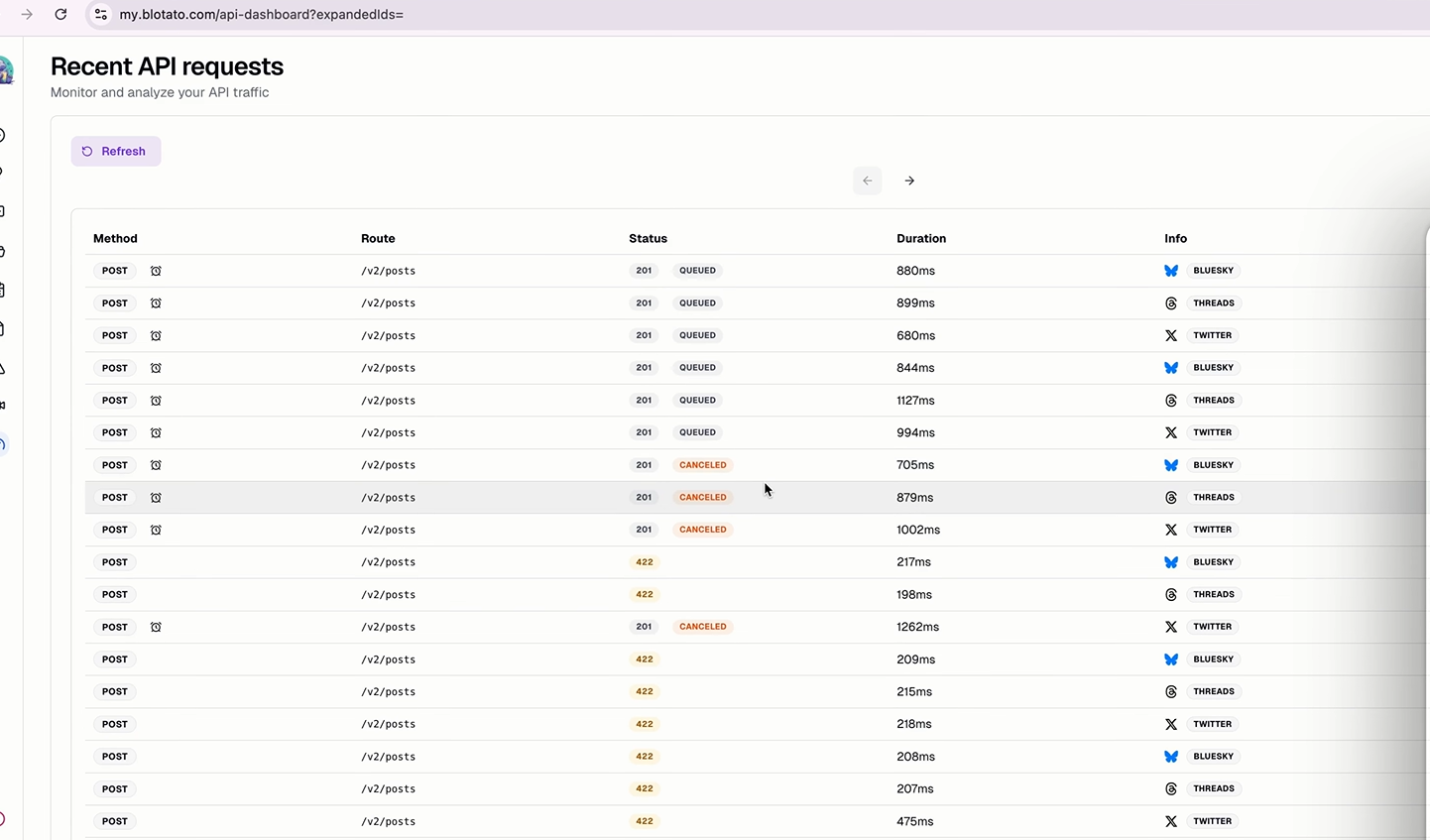 |
| Clean, threaded format with media | Native experience on mobile |
🏗️ System Architecture & Workflow
This automation is built on a sophisticated Multi-Agent Architecture tailored for resilience and quality.
🌊 The Flow
🧩 The "Brain" (Agents)
| Agent ID | Model | Role | Responsibility |
|---|---|---|---|
| Agent A | gpt-4.1 | The Writer | Writes the core content using the "Atomize, Organize, Synthesize" framework. |
| Agent B | gpt-4o | The Backup | Fallback model if Agent A fails or times out. |
| Agent C | gpt-4-mini | The Fixer | Ensures the JSON output is valid and tweets are under 280 chars. |
🛠️ Setup Guide
Deploy this engine in less than 15 minutes.
📋 Prerequisites (Click to Expand)
- n8n Instance: Self-hosted (Free) or Cloud.
- OpenAI API Key: Must have GPT-4 access.
- Blotato Account: For managing social APIs via Verified Nodes.
- Gmail Account: Any standard Gmail works.
Step 1: Import The Blueprint
- Download
2_email_to_longform_thread_N8N_TEMPLATE.json. - In n8n, click Import (top right) > From File.
- You will see the workflow map appear (as shown in the architecture image).
Step 2: Connect Your Tools
The workflow uses "Sticky Notes" to guide you, but here is the critical path:
[!IMPORTANT] Use "Verified Community Nodes" for Blotato. Go to Settings > Community Nodes > Enable. This ensures safe API handling.
🔐 Credential Setup
- Gmail: Authenticate with OAuth2. Scope:
gmail.readonly. - OpenAI: Paste your API Key.
- Blotato: Generate a key in Blotato Settings > API and paste it into the n8n credential manager.
Step 3: Configure The "Voice"
You don't want to sound like a robot.
- Open the AI Writes Thread node.
- Scroll to
System Prompt. - Find the `` block.
- Edit this! Paste your own best tweets or rules (e.g., "Use 🚀 emojis", "Be sarcastic", "Never use the word 'delve'").
Step 4: Test Run
- Click Execute Workflow.
- Send yourself an email:
- Subject:
thread - Body:
Why remote work is actually harder than office work. Focus on isolation and over-communication.
- Subject:
- Watch the agents work in real-time! 🟢
⚙️ Configuration Matrix
Customize the workflow behavior by editing these nodes.
| Node Name | Parameter | Default Value | Description |
|---|---|---|---|
| Gmail Trigger | Filters | subject:thread | The exact subject line that triggers the bot. |
| AI Writes Thread | System Prompt | Spartan Style | Defines the personality. Edit `` tag. |
| Twitter Node | Thread Mode | Array | How tweets are chained. Keep as Array. |
| Structured Parser | JSON Schema | See Below | Defines the output structure. Do not touch usually. |
🤓 Technical Deep Dive
For the developers and power users.
The JSON Data Structure
The agents are forced to output data in this strict format to ensure platform compatibility:
json{
  "text": "The first tweet (hook) goes here...",
  "mediaUrls": ["https://example.com/image.jpg"],
  "additionalPosts": [
    {
      "text": "Tweet 2 in the thread...",
      "mediaUrls": []
    },
    {
      "text": "Tweet 3 (CTA)...",
      "mediaUrls": []
    }
  ]
}
Media Handling Logic
- Extraction: The agent parses standard URLs from your email body.
- Assignment: It intelligently decides if an image belongs to the first tweet or a subsequent tweet based on context.
- Safety: If an explicit media URL isn't found, it defaults to clear text to prevent broken image links.
🚨 Troubleshooting & FAQ
❓ ERROR: "No JSON Output"
Cause: The AI Model failed to follow the strict formatting rules. Fix:
- Check your OpenAI credit balance.
- In the
OpenAI Fixernode, increase theTemperatureto0.2to allow it more flexibility in correction.
❓ ERROR: "Twitter / X Post Failed"
Cause: Usually due to duplicate content or rate limits. Fix:
- Ensure you aren't posting the exact same text twice.
- Check
Blotatodashboard for specific API error codes (e.g.,429 Too Many Requests).
❓ Q: Can I use Claude/Anthropic instead?
A: Yes! Simply replace the OpenAI Model node with an Anthropic Chat Model node. Ensure you update the system prompt to be Claude-friendly (XML tags work best, which we already use).
💰 Cost & ROI Analysis
Why build instead of buy?
| Solution | Cost | Control | Scalability |
|---|---|---|---|
| Hiring an Agency | $2,000/mo+ | Low | High |
| SaaS Tools (Buffer/Hype) | $50/mo | Medium | Low |
| This AI Agent | ~$15/mo | 100% | Infinite |
- Based on ~100 runs per month using GPT-4 API costs.
📄 License
This workflow acts as a template. You are free to modify, sell, or distribute your generated content. Template License: MIT.
"Clarity creates action. Automation creates scale."
💬 Made for the 30 Days AI Challenge. Need help? Comment "Agent 21" or DM me.